ImgToImg turns your pics into styled variations while keeping the core intact, unlike blank slate tools. Quick uploads and prompts deliver pro results, but free caps might nudge you to upgrade.
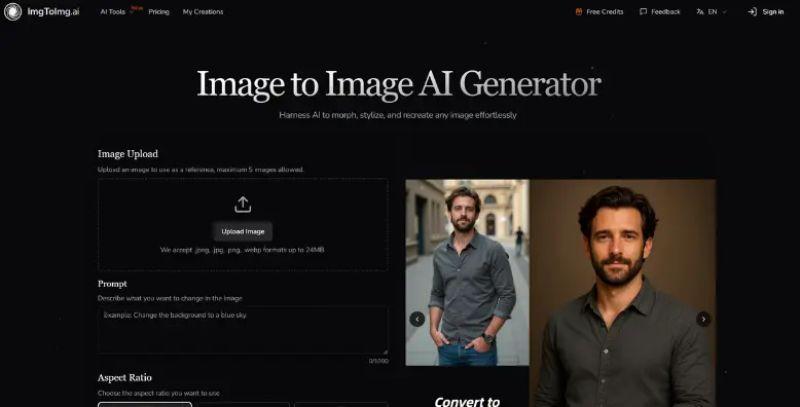
You know how sometimes you have a photo that almost works, but needs a tweak? ImgToImg lets you upload your pic and describe changes, like turning a daytime shot into night or swapping styles to look like a painting. It keeps the original layout intact, which is cool because it doesn't start from scratch like text-based generators.
Easy Steps to Get Started
Just upload up to five images in formats like JPEG or PNG, up to 24MB. Then type a prompt for what you want. Say "add cyberpunk vibes" or "change the background to a beach." Pick aspect ratios like 1:1 or 3:2, decide on one to four outputs, and hit generate. Results pop up fast, often in seconds, ready for download.
Key Perks and a Small Catch
The big win here is versatility; apply artistic styles or edit elements while maintaining quality for pro use in marketing or design. It's efficient for quick variations, and paid plans unlock commercial rights. On the flip side, free users hit monthly limits pretty quick if you're experimenting a lot, but upgrading sorts that without hassle.
Who Might Dig This
Artists and marketers find it handy for brainstorming visuals, though it shines best with clear starting images. Overall, it's a solid way to refresh old pics without heavy editing software.